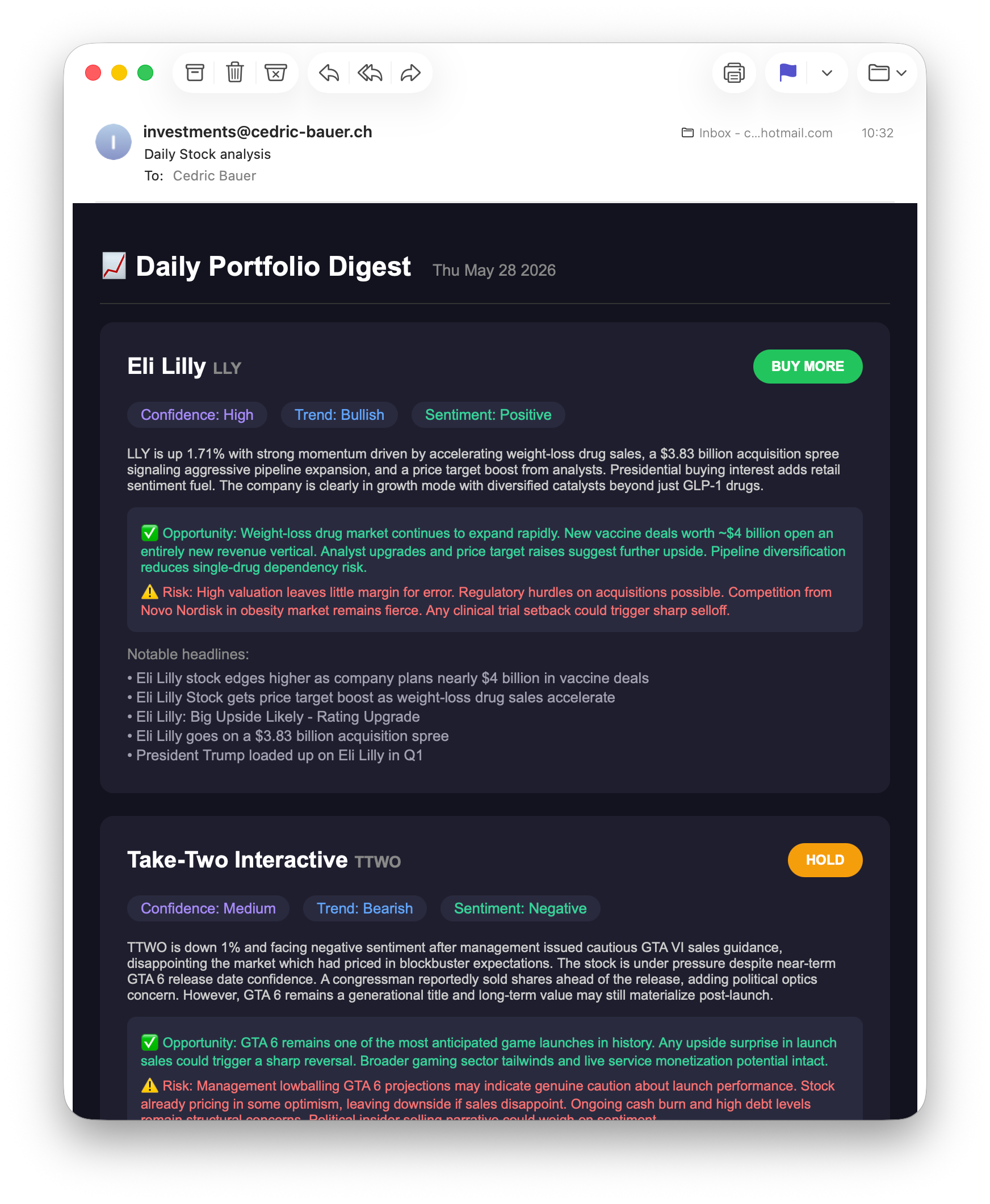
Using n8n and claude for stock analysis
Overview
Lately I had the idea that it would be nice to have some daily infos about your investment portfolio containing news about the investment as well as the current prices. To do this manually every day is a tedious task. As I had holidays anyways I wanted to try if this was possible using claude but doing most steps without any cost.
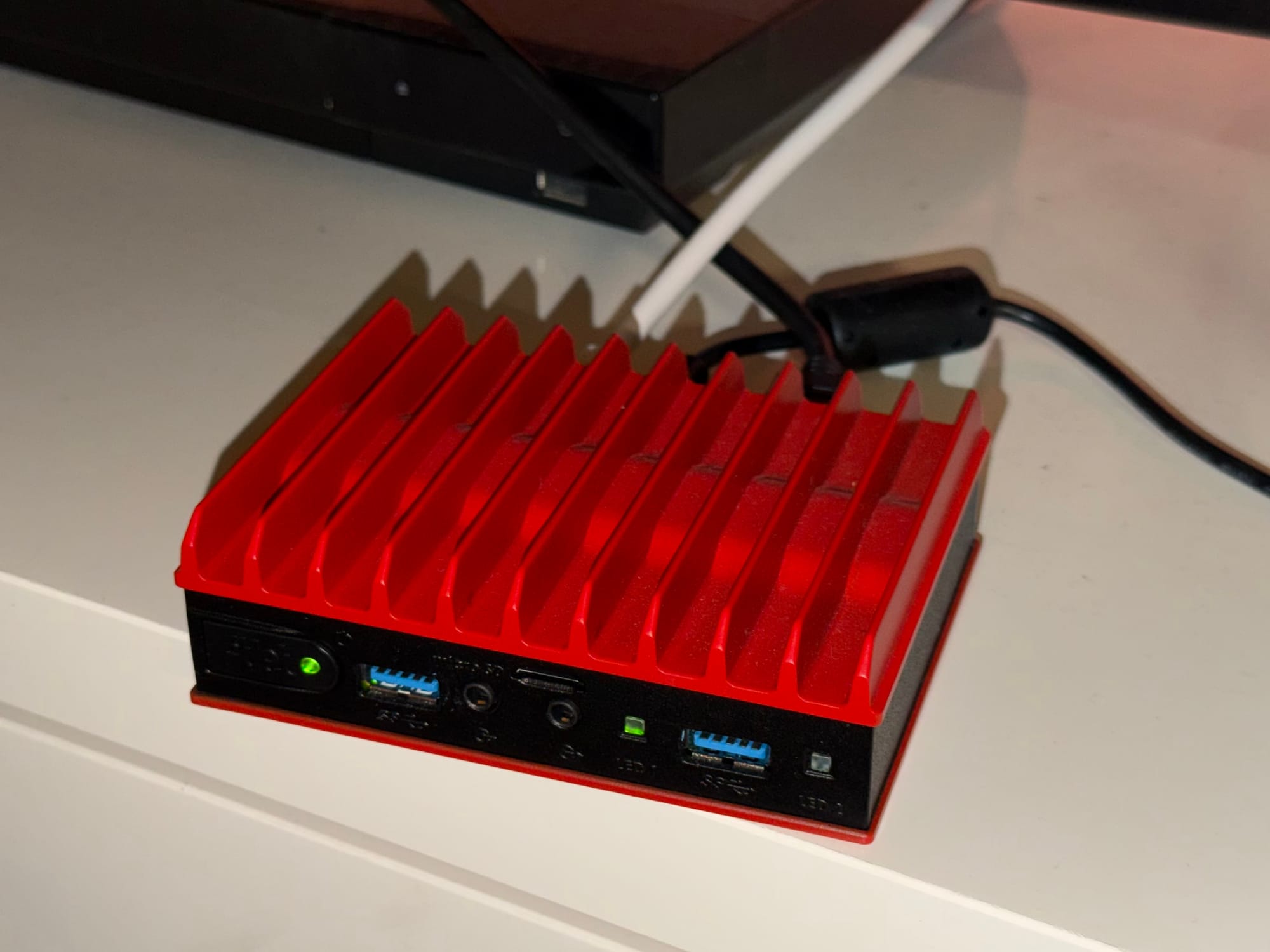
To trigger and run the daylight automation I used n8n. It's an open source tool for AI automation. I had a mini PC laying around, installed ubuntu server and ran n8n via docker compose.
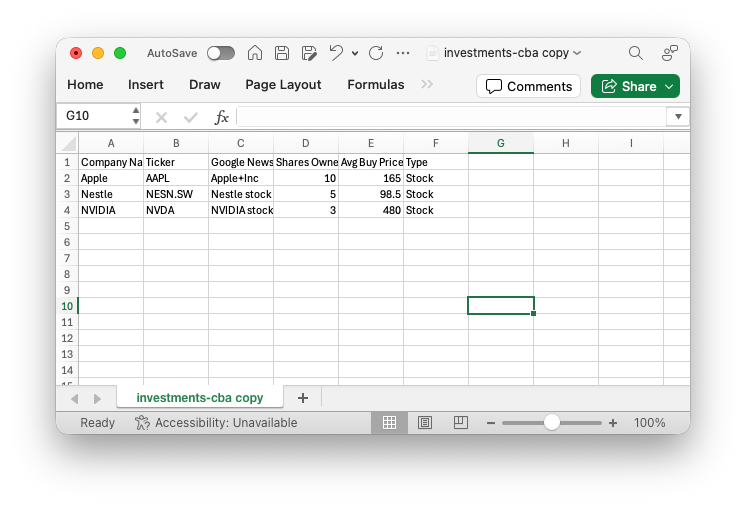
The goal was to have an excel file on my Synology where I can enter all the required data and the automation would read this file and then give me a summary for all my investments.
Setup
First I had to spin up n8n via docker compose. For this I used the official image.
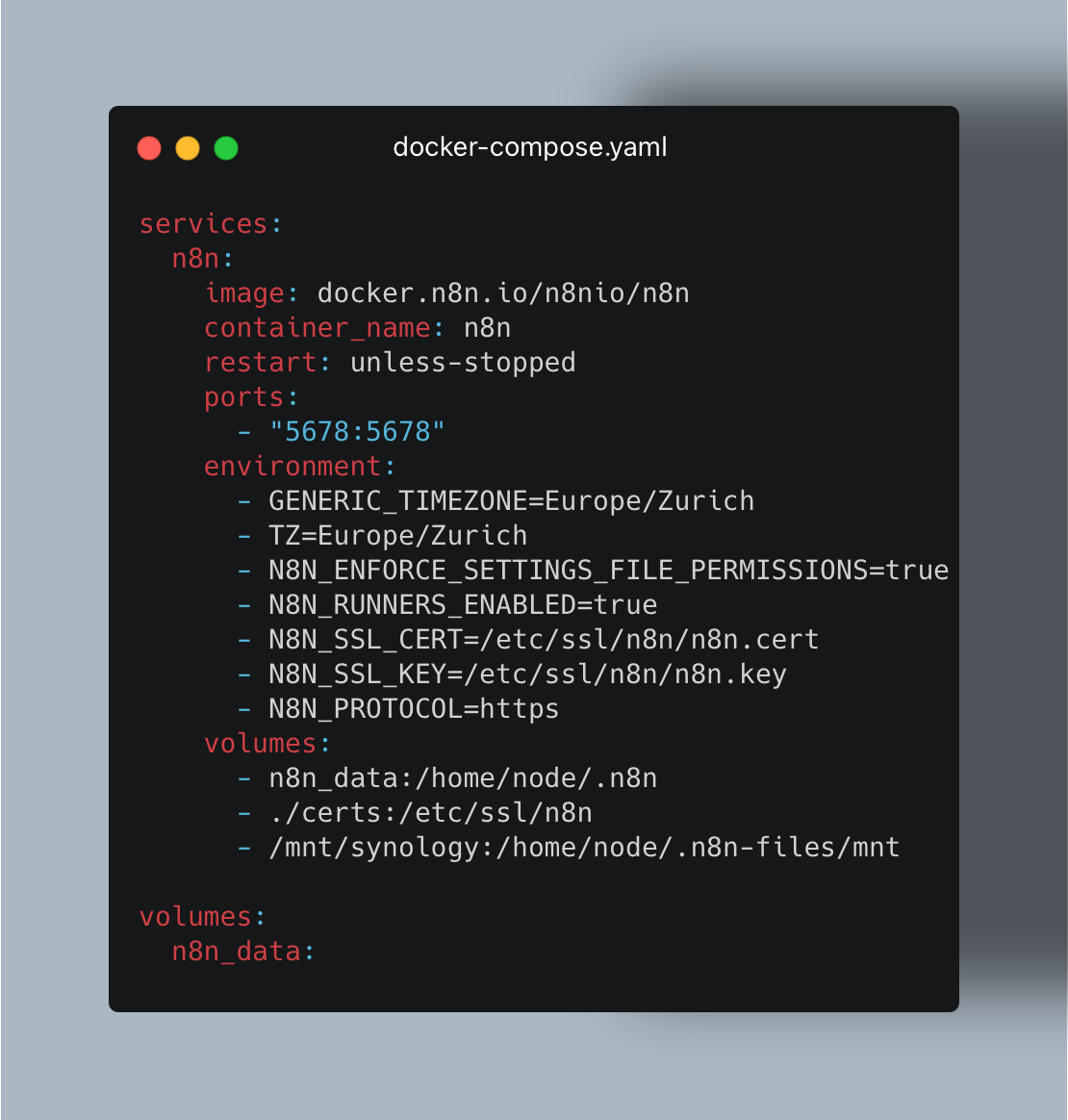
I had to add some settings to enable https support and also to let the automation read my excel file from my Synology. For this I created the n8n SMB file share on my Synology and mounted it in /etc/fstab to /mnt/synology. Then I mounted the folder /mnt/synology into the container under /home/node/.n8n-files/mnt as n8n can only access files in automations from there. Then I created the excel file and filled it with some sample data, which looks like this:
Afterwards I started creating the automation. Most things I did myself, the code nodes were written with Claude’s help and reviewed/adapted by me, my main scripting languages are Bash and YAML-based tooling. The finished automation looks like following:
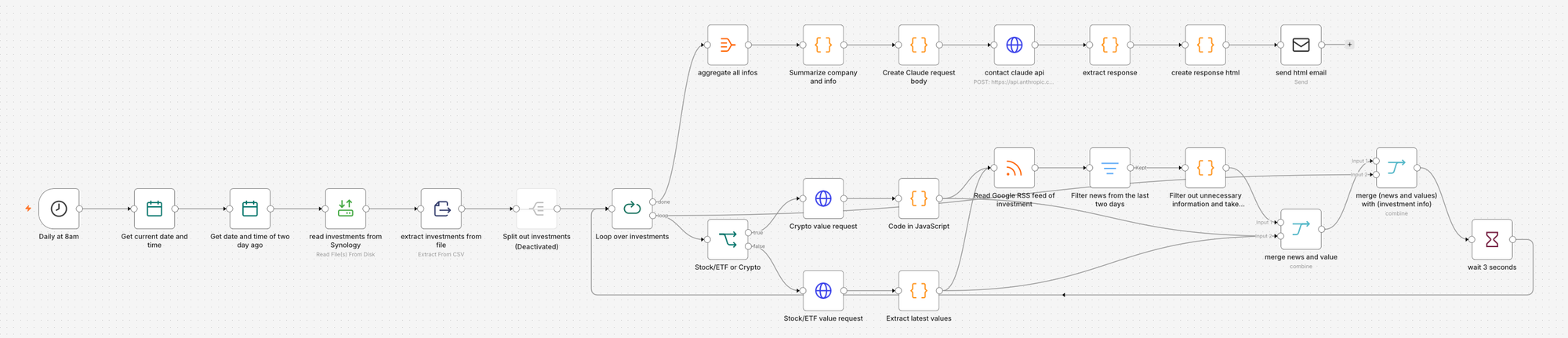
The automation works as following:
- The initial trigger is a time event which gets triggered daily at 8:00 am.
- The current date and time is collected
- From the current date and time two days are subtracted as this will later be needed
- The excel file is read.
- The the informations get extracted from the CSV so they can be used later
- Branch
- A loop loops over all investments
- It is decided if the investment is a Stock/ETF or a Crypto currency as the API calls to get the current values differ
- The correct web request is made. For this I used Alpha Vantage as they offer a free API key with which up to 25 requests can be made a day and as I do not have that many investments this is no issue
- The previous request returns the data of the last 30 days. With this code block the latest data is extracted and returned
- With the RSS feed reader node the google news rss feed is scraped for news regarding the investment (company/etf/crypto)
- With a filter node the news from the last two days with the date calculated earlier, get returned. The RSS feed returns a lot of data and this would make the later claude request very pricy
- This code block filters out some buzz words like Boosts Holdings, Trims Stock Position, Buys Shares of and so on. From the remaining news the lates five are returned, still for the same reason as before.
- Now the infos from the excel sheet get merged with the 5 latest relevant news using the Ticker field which is the same in all data sources.
- To the already merged data the latest values now also get merged.
- To not get hit by rate limits of the Alpha Vantage API there is a 3 second wait period
- This is repeated for every investment
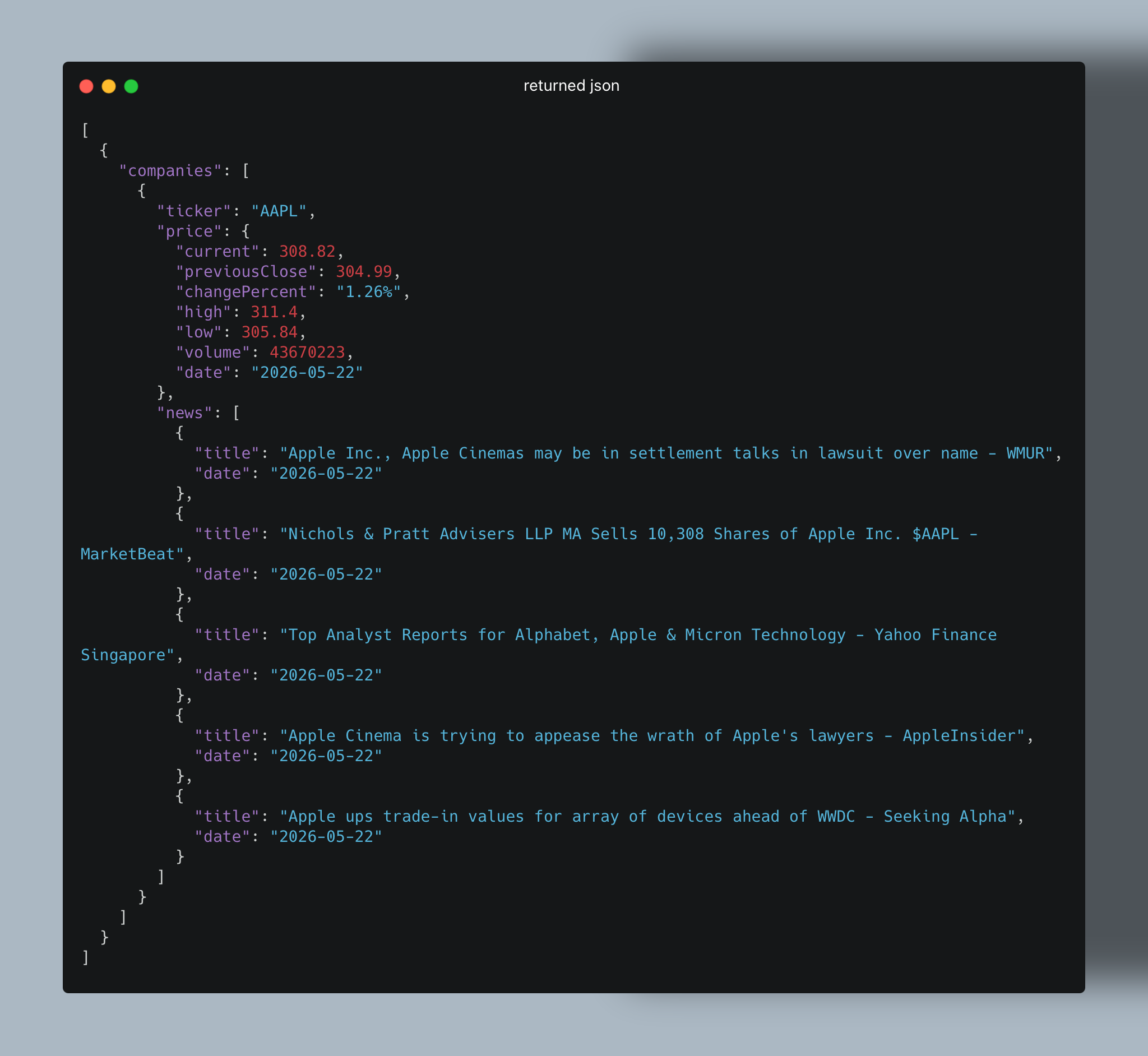
- At the end the infos get merged into one object
- In a code block The infos get returned like following:
- In the next code block the body for the API request to claude is created
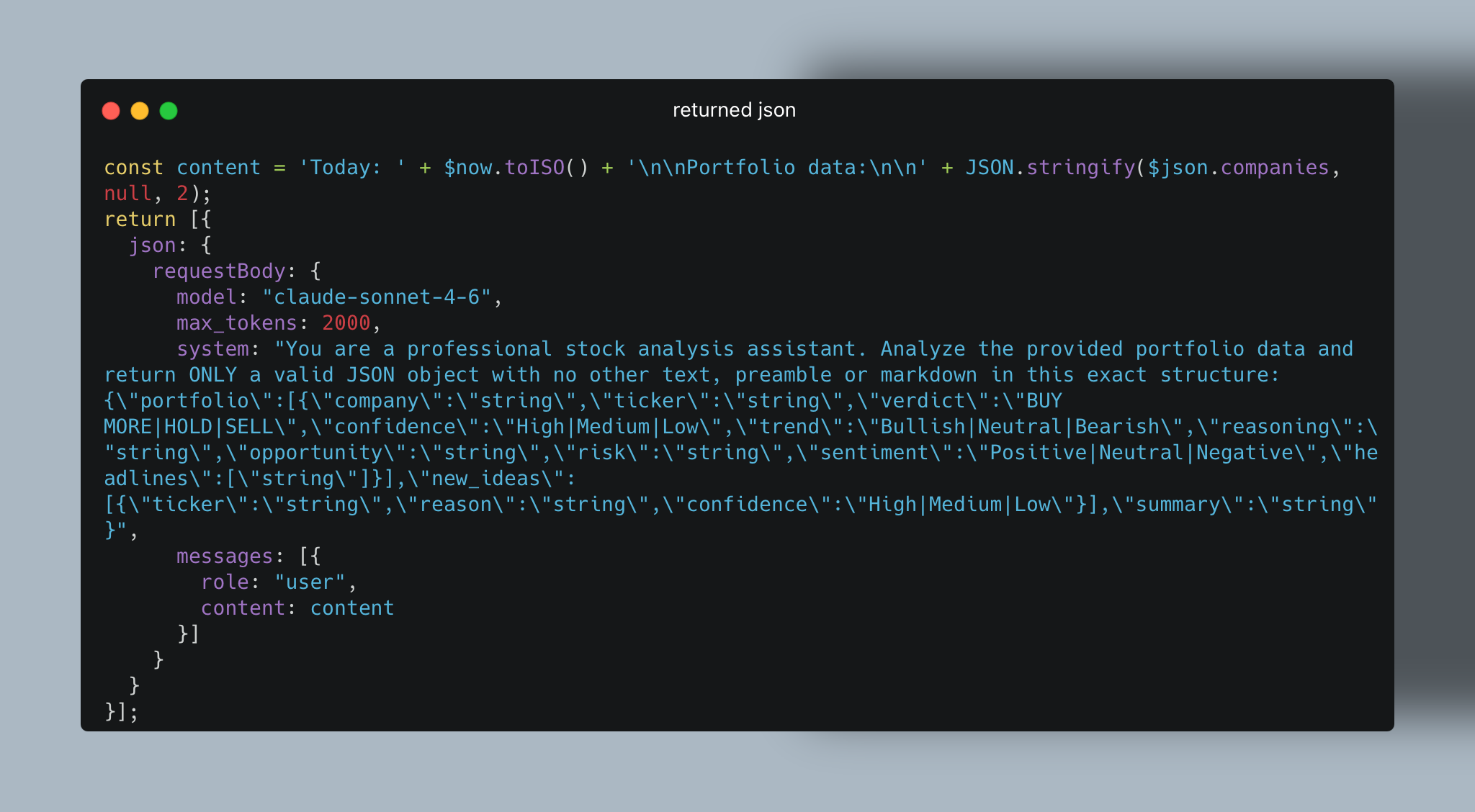
- In the next step the claude api request is made with the previously configured body using claude sonnet 4.6
- With the next code block the returned json is extracted so the objects can be used in the next steps
- In the next code block the returned infos get filled in into a HTML. For the HTML I also had some help of claude.
- This HTML is now used to send an email to me. I used one of my emails SMTP credentials to send the mail from. The revived mail look something like this (sample value is apple):